The backup you've never restored isn't a backup
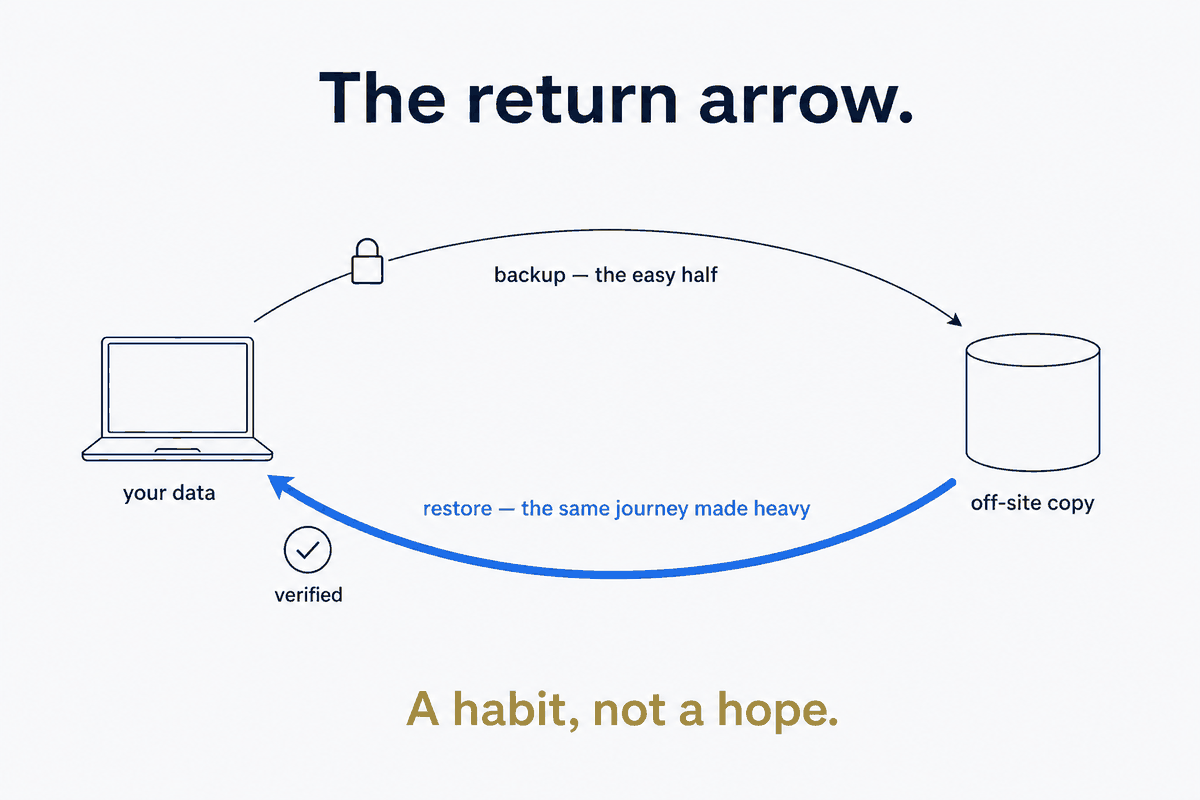
Almost everyone with a laptop has a backup, and almost no one has ever restored from it. That gap is the whole subject of this piece. A backup you have never restored is not a safety net — it's a hope, dressed up as one. You don't know if it's complete. You don't know if the encryption key still works. You don't know how long a restore takes, or whether the files come back byte-perfect, until the worst possible moment to find out: after you've lost the originals.
So I'm going to describe the personal-backup setup I landed on — Restic to Hetzner Object Storage — but the setup is the supporting cast. The lead is the restore-test, because that's the part that turns a hope into a backup, and it's the part everyone skips.
The stack, briefly, because it is good
For personal data — a few hundred gigabytes of documents, no enterprise-compliance regime to satisfy — the combination that won was Restic writing to Hetzner Object Storage. Encrypted client-side with AES-256, deduplicated, EU-resident in Falkenstein, and flat-priced at roughly €60 a year for the first terabyte. I migrated to it off a Cryptomator-plus-Dropbox arrangement that was really a sync workflow pretending to be a backup, and the difference in how much I trust it is entirely down to the two properties below plus the restore-test.
Why Restic specifically. It encrypts by default, so you don't layer a separate encryption tool on top and hope the two compose. It deduplicates natively — a hundred-gigabyte source plus a run of monthly snapshots lands around a hundred-ten gigabytes stored, not hundreds, because unchanged data is stored once. It's a single cross-platform binary — same tool on Windows, Linux, macOS — with no daemon and no database server to babysit. And it's snapshot-based, which is what makes point-in-time restore possible.
Why Hetzner Object Storage. It's S3-compatible, so any S3 tool talks to it, and it's EU-resident — which for a European putting their whole personal record somewhere is a decision criterion, not a footnote. The pricing is predictable: a flat monthly rate per terabyte with generous inclusive egress, so a restore doesn't arrive with a surprise bandwidth bill. The endpoint is a single string — s3:https://fsn1.your-objectstorage.com/<bucket> — and setup, including a bucket in Falkenstein and a set of S3 access keys, is about ten minutes.
The one configuration detail that bites: the env-loader
Restic reads its credentials — repository URL, password, S3 keys — from environment variables, and how you supply them matters more than it should.
The clean pattern is a small per-shell loader script that sets those variables, kept out of any synced or backed-up folder (you do not want your backup credentials riding along inside your backup). The gotcha that costs people an evening: on a shell like PowerShell you must dot-source the loader — load its variables into the current shell — not merely run it, which sets the variables in a child shell that vanishes the moment the script exits, leaving your actual shell with nothing. The reason to use env vars rather than a config file at all is that they're scope-bounded to the shell session: they exist while you're running a backup and they're gone when you close the terminal, instead of sitting in a file on disk.
What goes in, and what deliberately doesn't
A backup set is a series of decisions about what you'd cry over losing, and the exclusions are as considered as the inclusions.
In goes the irreplaceable, judgment-heavy data: personal documents, business records, family material, the analytical databases. Out goes the regenerable and the noise: temp directories, caches, node_modules, .git folders — anything a machine can rebuild or re-fetch, which has no business consuming backup space or restore time. And then there's a third category that trips people up: things I don't back up here on purpose, because they have their own better-fitted stack. Passwords live in a dedicated secrets manager, hardware-key-protected, not in a file backup. Photos live in their own asset-management-plus-local-backup stack, because a few hundred gigabytes of images have different access and dedup characteristics than documents. Source code is already off-site in Git hosting. Backing those up here too wouldn't be extra safety — it'd be double-managing data that's already handled, and blurring which tool owns which threat.
The restore-test — the part that turns a hope into a backup
Here is the discipline the whole article is built around, and it took two real restores before I trusted the setup at all.
The first restore was small — about eleven kilobytes — and its only job was to verify the plumbing: that the credentials work, the repository unlocks, the encryption key is correct, and Restic can actually pull a file back down and reconstruct it. This is the test that catches the catastrophic-but-silent failures — the wrong password, the misconfigured endpoint, the key you thought you'd saved — while they're a five-minute annoyance instead of a disaster.
The second restore was large — about forty-five gigabytes, verified byte-perfect — and it tested the things the small one couldn't: throughput, correctness at scale, and whether a real recovery is even tolerable. It came back correct at roughly eighty-three mebibytes a second, finishing in about nine minutes. That number matters more than it looks: it sets my expectations. If I ever lose the originals, I now know what recovery costs — minutes, not a mystery — instead of discovering it under stress.
Most people skip both tests because a backup that's never been restored feels fine, and testing it feels redundant right up until it isn't. That feeling is the trap. Backup is meaningless without restore, and the only way to know your restore works is to have done one — deliberately, calmly, inside the first month, while nothing is actually wrong.
Scheduling, retention, and a small travel habit
With the restore verified, the operational layer is boring in the good way. Snapshots run on a schedule, with a Restic forget-policy that keeps a sensible pyramid — a week of dailies, a month of weeklies, half a year of monthlies — so history stays useful without growing forever. On Windows that's driven by a Task Scheduler wrapper rather than cron, which is a small platform detail but the kind that stops a "scheduled" backup from silently never running. And one human habit worth more than any config: a backup run before every trip. The moment your data is about to be physically carried into the world — airports, cafés, a bag that can be left behind — is exactly the moment to have a fresh, verified copy sitting safely in Falkenstein.
Two lessons that generalize
Two things I got wrong first and want to save you from.
Client-encrypt; "encrypted at rest in the cloud" is not enough. A provider encrypting your data on their disks protects it from their stolen hardware — not from the provider, a subpoena, or a breach of their access layer. Encrypting on your client before it leaves, with a key only you hold, is the property that actually makes the storage location untrusted-by-design. Restic does this by default, which is half of why it won.
Don't double-encrypt — match the tool to the threat. Full-disk encryption on the laptop and Restic's client-side encryption are not redundant; they defend different threats. Disk encryption protects the laptop if it's stolen while off. Restic's encryption protects the cloud copy from the storage provider and the network. Layering yet another encryption tool on top of Restic — as I briefly did with Cryptomator — adds friction and key-management risk without adding a threat model it defends against. Every encryption layer should answer a specific "protects against what?" If it can't, it's cost without cover.
Sovereign, verified, and about €60 a year
For a few hundred gigabytes of personal data, Hetzner isn't the absolute cheapest option — dedicated backup clouds can undercut it per terabyte. What it is: predictable (a flat bill, no egress surprises), EU-resident (a real jurisdiction decision), and client-encrypted (the storage host never sees plaintext). Predictable, sovereign, and encrypted is worth a small premium over cheapest-per-gigabyte for the one dataset you genuinely can't recreate.
But re-read the title and notice the second half — the restore-test that makes it real — because that's the load-bearing claim. This is structure beats magic applied to the least glamorous corner of a personal system. The magic answer is a backup app with a reassuring green checkmark you never question. The structural answer is to distrust the checkmark until you've pulled your data back — timed it, verified it byte-for-byte, and made recovery a known quantity instead of a prayer. Set up the stack, yes. Then restore from it, on a calm Tuesday, before you ever have to. Restore is a habit, not a hope.
Part of the Structure Beats Magic series. Restic is the backup leg of a three-tool split — mirror, backup, history — alongside Syncthing as the Glue (the mirror) and version control (the history); Syncthing deliberately isn't a backup, which is exactly why Restic sits next to it.